Choose one image
Pick the image you want added to the listings in this batch. The extension checks it before anything runs.

Second Life, Music, Stories & Whatever Comes Next.

SL MARKETPLACE
Add the same image to multiple Second Life Marketplace listings in one batch.
Less clicks. More time.
Chrome Mature label: The Chrome Web Store marks this extension as Mature because Second Life Marketplace includes Adult-rated listings. The extension itself does not add adult content.
Built for creators who would rather spend their time creating than opening the same Marketplace edit screen over and over again.
Bulk Images does one job on purpose. You choose an image, choose the Marketplace listings that need it, and let the extension handle the repetitive upload-and-save work.
Pick the image you want added to the listings in this batch. The extension checks it before anything runs.
Filter the listings already loaded on your Manage Listings page, then select exactly the products you want to update.
Run a Dry Run first, then process the real batch when everything looks right. Completed items are marked as they finish.
The extension loads each selected listing's current Marketplace edit form, preserves the values already there, uploads the image, and submits that same form back to Marketplace.
It does not manufacture replacement titles, descriptions, permissions, prices, categories, or other product data. It is there to remove repetitive clicking, not take control of your listings.
Dry Run validates the selected image and batch without uploading or saving any Marketplace listing. When you are ready, turn Dry Run off and confirm the real batch.
The workflow stays inside Second Life Marketplace and gives you a clear view of what is selected, what will happen, and what finished.
Select individual products or use the filter to narrow hundreds of listings down to the ones you actually need.

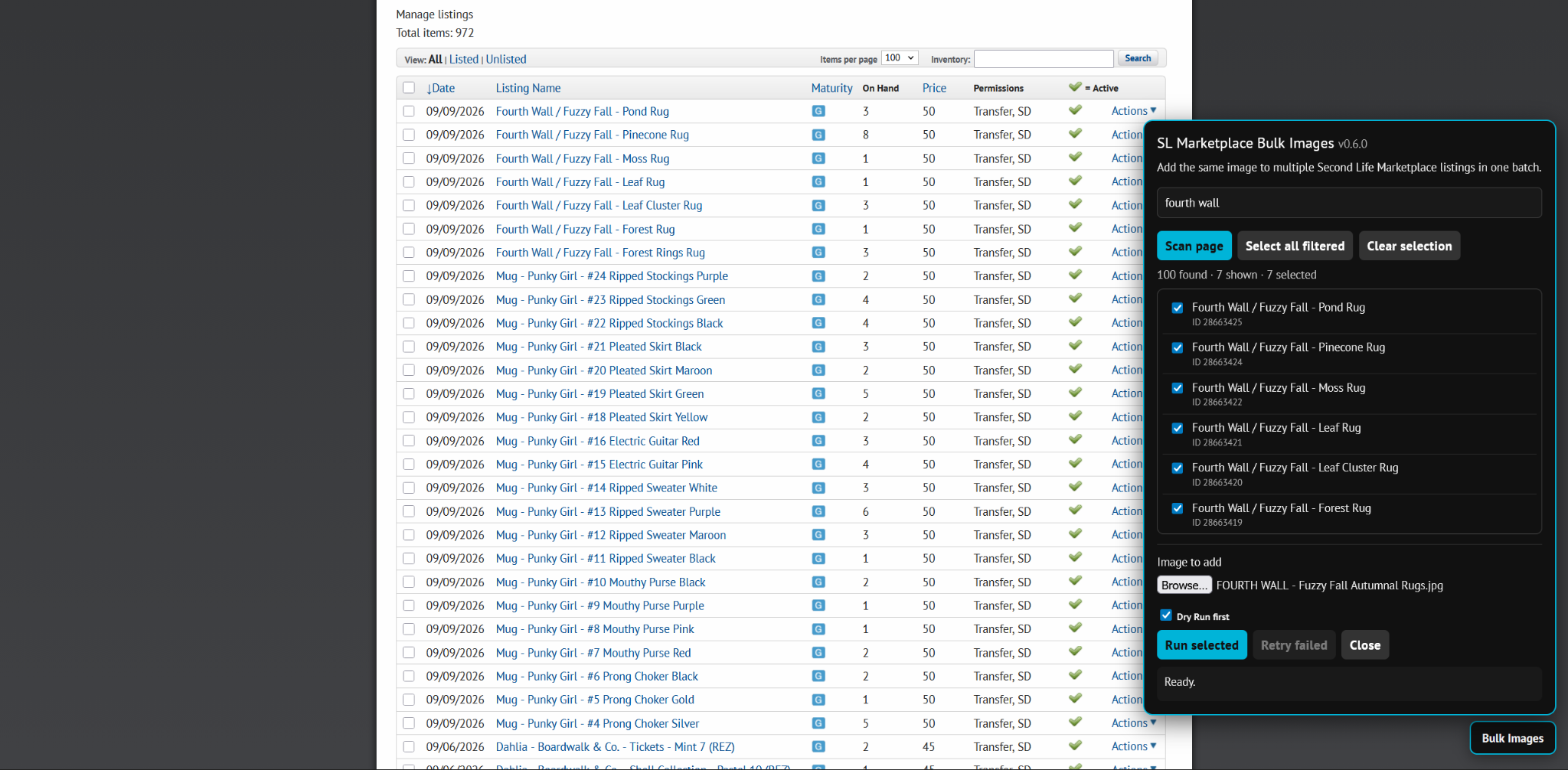
Search the currently loaded listing names or product IDs and select all filtered results when that is what the batch needs.
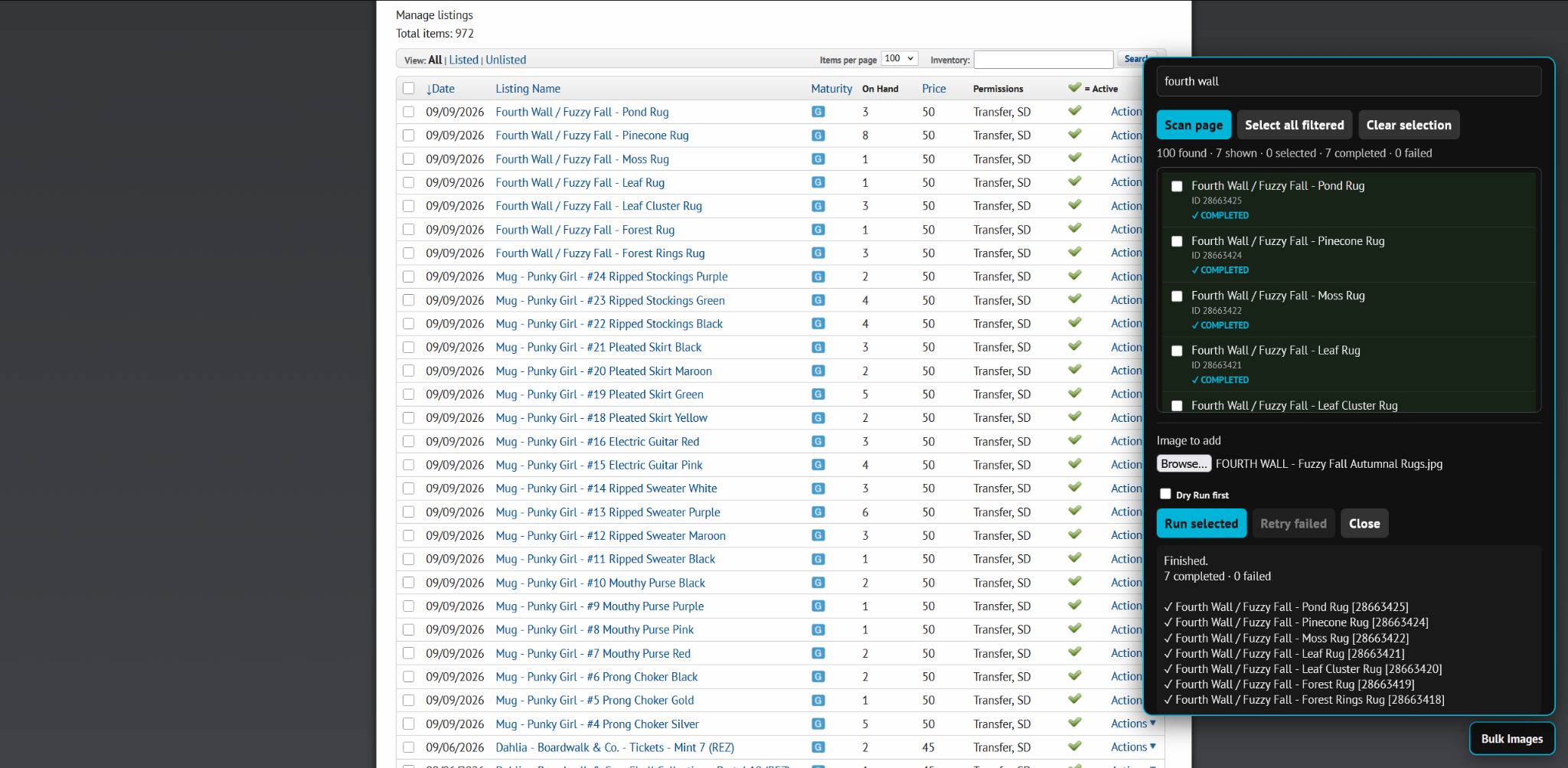
Finished listings are marked COMPLETED, failures stay visible for retry, and completed items automatically leave the active selection.
 Chrome
 Edge
Edge
 Brave
Brave
 Opera
Opera
 Vivaldi
Chrome is the primary Chromium release. The same Chromium package is intended for compatible browsers including Edge, Brave, Opera, and Vivaldi.
 Firefox
A dedicated Firefox build keeps the same workflow and batch engine while using Mozilla's extension format.
Current release: v0.6.0 · Windows desktop tested in Firefox and Chrome.
SL Marketplace Bulk Images does not collect, sell, or store personal data. There is no analytics, advertising, telemetry, tracking, remote code, or third-party data collection built into the extension.
The extension runs only on the Second Life Marketplace pages it needs for its single purpose. It uses your existing authenticated Marketplace session to load and submit listing forms. Login credentials and cookies are not copied, stored, or sent to LuckySpiritor.com or the extension developer.
The image you select is sent only to Second Life Marketplace as part of the upload you asked the extension to perform.
Send the browser you are using, what you were trying to do, and what happened. A screenshot helps when the problem is visual.
Independent project. SL Marketplace Bulk Images is an independent browser extension and is not affiliated with or endorsed by Linden Lab or Second Life.
Second Life and Linden Lab are names belonging to their respective owner. They are referenced here only to describe the Marketplace service the extension works with.
You must be logged in to post a comment.